Step 1: Log in to your ControlHippo account.
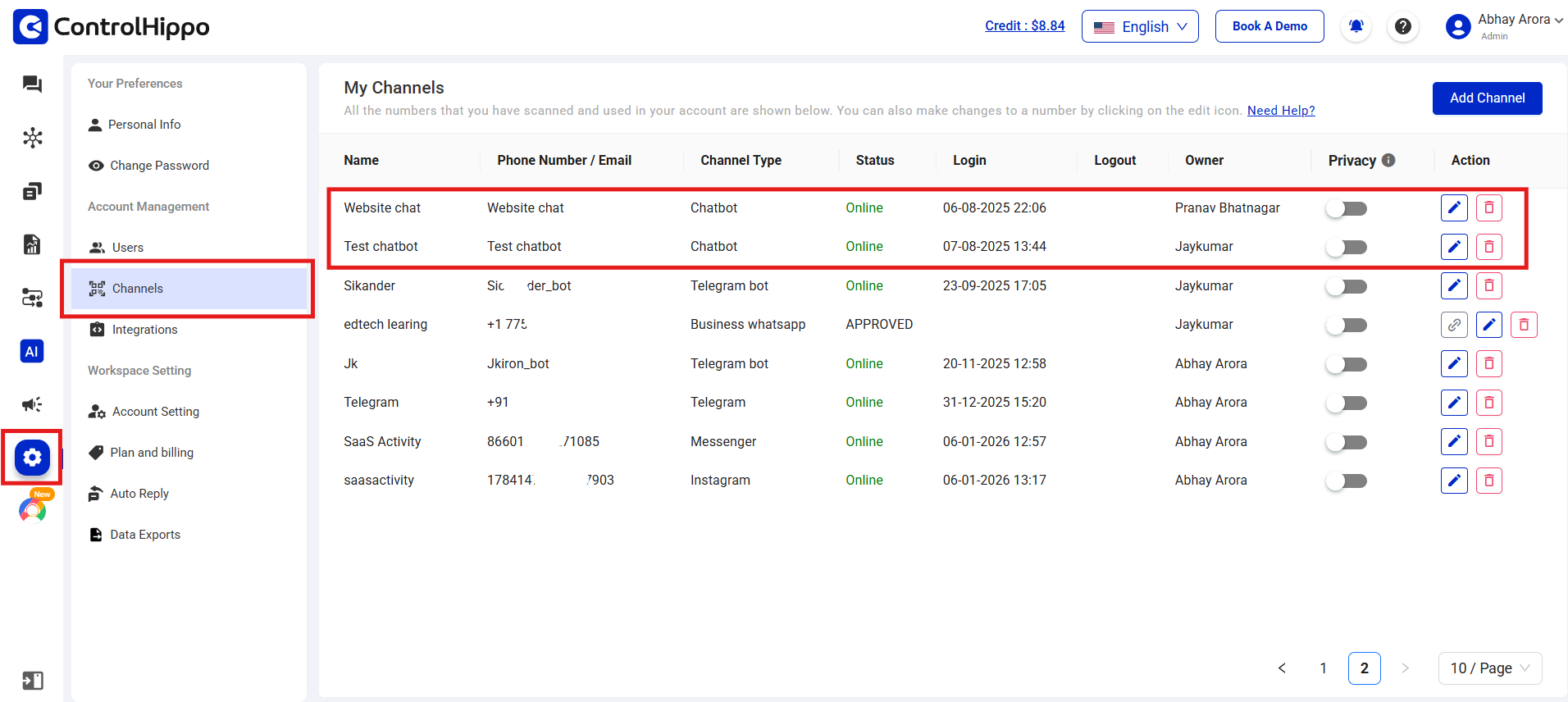
Step 2: Go to Settings > Channels from the left-hand menu.
Step 3: Find the Chatbot channel and click the Edit icon under the Action column.
Step 4: Update the chatbot settings such as theme color, widget icon, or CSAT survey.
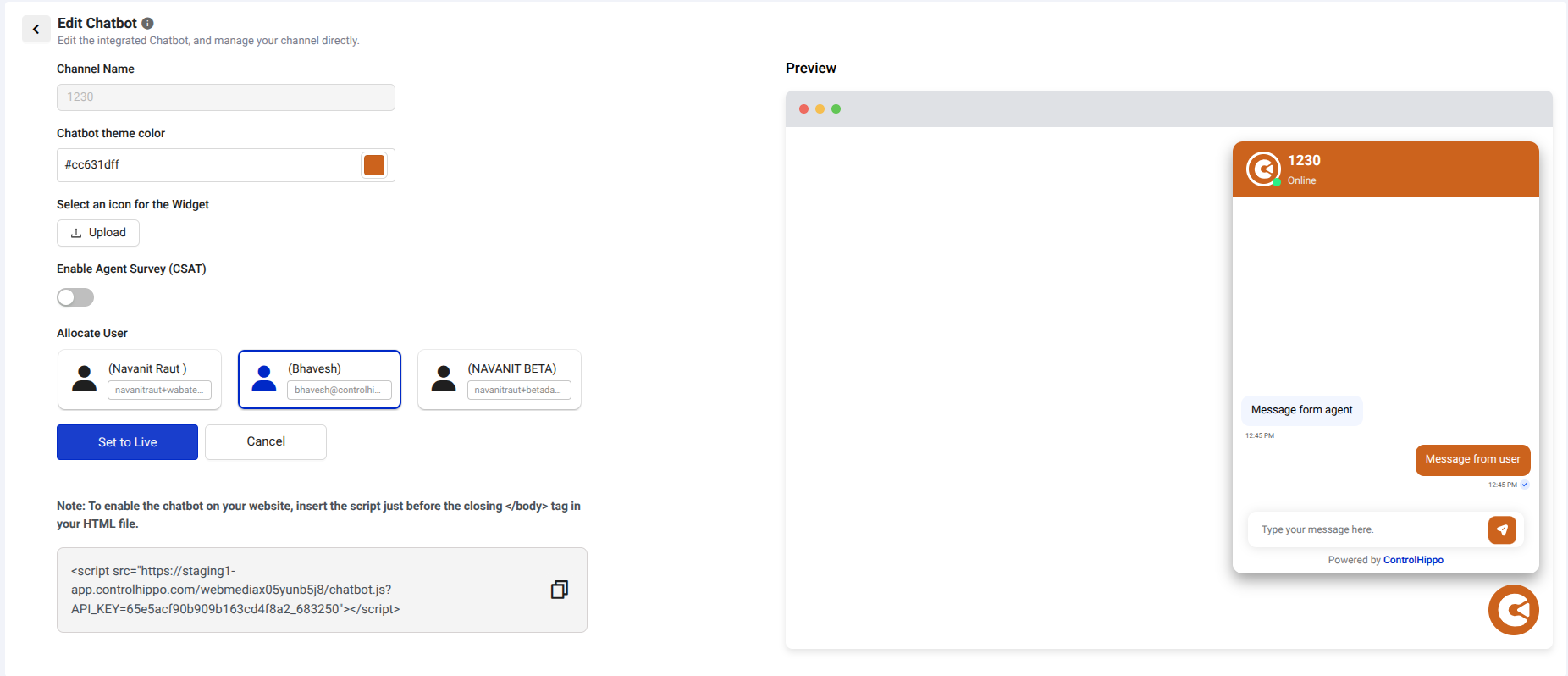
Step 5: Preview all changes instantly in the live chatbot preview.
Step 6: Click Set to Live to apply changes, or Cancel to discard them.
Note : If you have any further questions or concerns, please feel free to reach out to us at support@controlhippo.com.
Was this article helpful?
That’s Great!
Thank you for your feedback
Sorry! We couldn't be helpful
Thank you for your feedback
Feedback sent
We appreciate your effort and will try to fix the article